
Outlook Calendar to ClickUp Task Sync
Every meeting on your Outlook calendar shows up as a ClickUp task, and stays in sync as events change.
The problem
"Our project manager was double-entering every client meeting into ClickUp. She would forget half of them, and reschedules never made it across. Something had to close the gap between the calendar and where the actual work gets tracked."
The solution
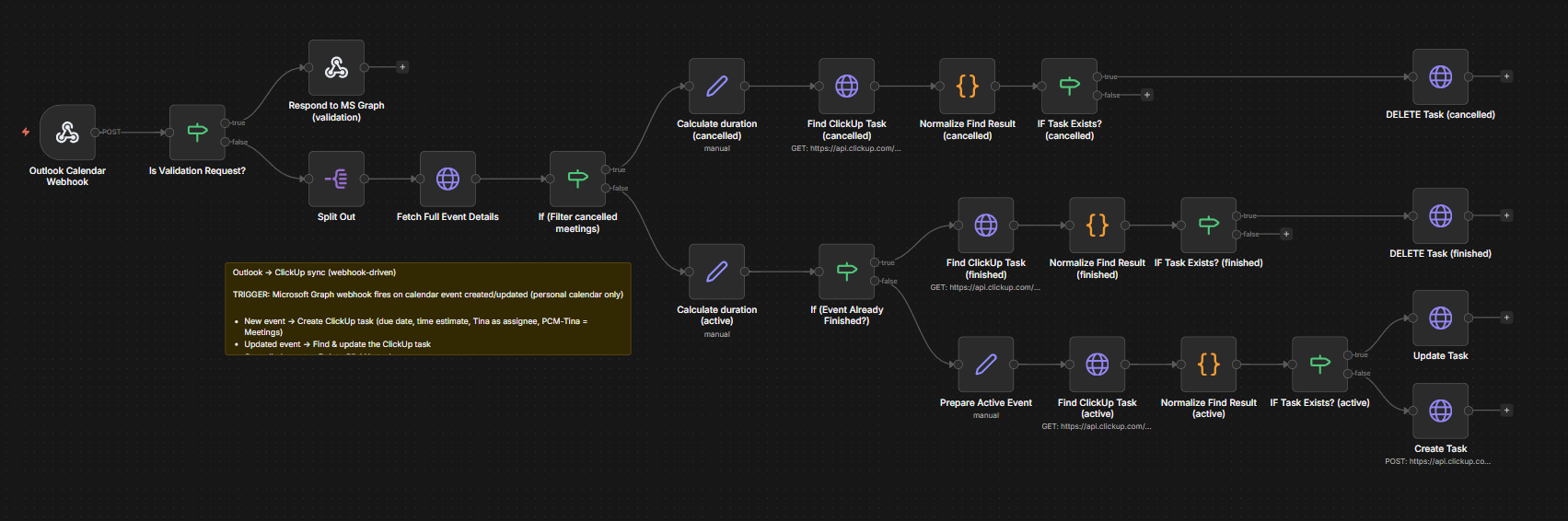
One flow. Every input type.
The workflow runs every 5 minutes and asks Microsoft Graph for a delta of changes since the last run. First run bootstraps with a short window so the delta token is captured without pulling months of history. Deleted events look up the matching ClickUp task by a custom eventId field and delete it. Everything else classifies for skip conditions (Canceled, Cancelled and Declined prefixes drop out), then either updates the existing task or creates a new one with due date and duration mapped from the event.
Results
Industry
Ops / Client Delivery
Service type
Client Automation
Timeline
1 week
Tools used